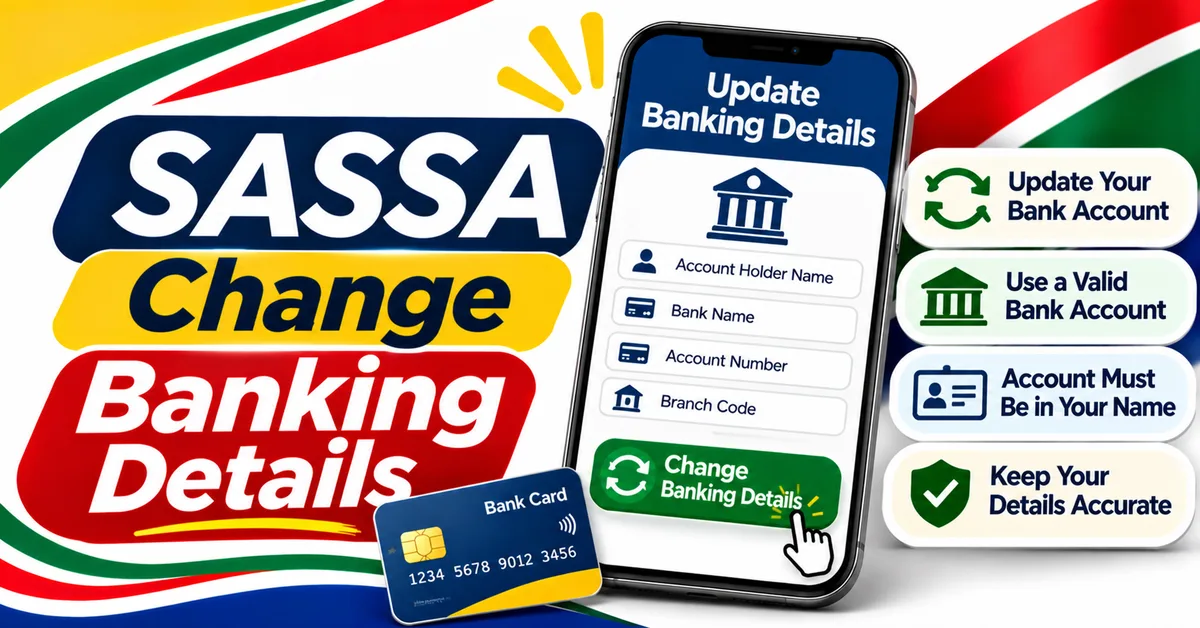
SASSA Change Banking Details: How to Update Your Bank Account
You can change your SASSA banking details online at srd.sassa.gov.za or in person at a SASSA office. The account must be in your own name, and you need your 13-digit ID number and the cellphone number registered on your application, because SASSA sends an OTP by SMS to that number. A change applies to future payments only, after verification.
How to Change Your SASSA Banking Details Online
Banking Details Update Guide
Update your SASSA bank account step by step.
- Type srd.sassa.gov.za into your browser yourself. Do not click a link in an SMS, WhatsApp message, email or social media post that claims to change your banking details.
- On the SRD portal, find the Banking Details Update section. The exact wording and layout on the portal can change, so look for the banking details option rather than guessing at a web address.
- Enter your 13-digit South African ID number and the cellphone number registered on your SRD application.
- Enter the OTP (one-time PIN) SASSA sends by SMS to that registered number. Do not share this OTP with anyone.
- Follow any identity verification prompts shown on the portal. [VERIFY] Some non-official guides report that you may be asked to complete a face-scan / e-KYC liveness check — not confirmed on an official SASSA source, so treat it only as something you may be asked to do.
- Enter your new bank name, account number and account type exactly as they appear on your bank records. Check every digit before you continue.
- Confirm that the account belongs to you and that SASSA may verify it with your bank, if the portal asks for that consent.
- Submit the update and keep any confirmation or reference shown on screen.
- Check your status afterwards on the SRD portal. Do not assume the change is active the moment you submit it — SASSA must still verify the account.
If the portal does not accept your details, stop and check that you typed the address correctly, that your ID number is correct, and that you still have access to your registered cellphone number. Do not try a different website that promises to change your details faster.
Before you start, have ready your 13-digit ID number, the cellphone number registered on your application, and your new bank account number, bank name and account type. The account must be active and in your own name — SASSA does not pay into someone else's account. If you no longer have the registered number, update your phone number first, because the OTP goes to that number. See /sassa-change-phone-number/ proposed.
How to Change Your Banking Details at a SASSA Office
- Go to your nearest SASSA office during working hours, taking your ID with you. Ask at the office what else, if anything, they need — do not assume a list of documents from an unofficial website.
- Tell the official you want to change the banking details on your SRD application and give your ID number and registered cellphone number.
- Give the new bank name, account number and account type, and check the details carefully before the official records them.
- Ask for confirmation that the change has been submitted and keep any reference or receipt you are given.
- Check your status on the SRD portal afterwards to confirm the new details have been recorded.
An office visit is the practical option if you cannot use the online portal, if you have lost access to your registered phone number, or if the portal will not accept your update. The change is free — never pay anyone to change your SASSA banking details for you.
SASSA Wrong Banking Details: How to Fix Them
- Check your status on srd.sassa.gov.za first, to see what banking details SASSA currently holds.
- If the account number, bank name or account type is wrong, submit a correction using the online Banking Details Update steps above, or visit a SASSA office.
- Enter the correct details carefully, digit by digit. A single wrong digit can send a payment to the wrong account or cause verification to fail.
- Confirm the account is in your own name. If the details on record belong to someone else, replace them with your own account.
- Wait for verification, then check your status again. A correction does not move a payment already processed, and it does not guarantee the next payment will be immediate.
If money was already paid into a wrong account, changing your details will not automatically recover it. Contact SASSA on 0800 60 10 11, explain what happened, and keep a note of the date and any reference number. Do not share your OTP, PIN or banking details with anyone claiming they can recover the money. For what the different banking verification messages mean, see /sassa-banking-details/ proposed.
SASSA Change Bank Account: Switching to a Different Bank
- Open a new account in your own name and make sure it is active before you submit the change to SASSA.
- Follow the online Banking Details Update steps above, entering the new bank name, account number and account type.
- Double-check the new details against your bank card or bank statement, not from memory.
- Submit the change and keep any confirmation or reference shown.
- Do not close your old account until you have confirmed SASSA has recorded and verified the new one and a payment has reached it.
- Check your status on the SRD portal after submitting, and again before the next payment run.
Changing banks does not change your grant or eligibility — only where SASSA sends the money. The SRD grant remains R370 per month, extended to 31 March 2027.
SASSA Payment Method Change
- Go to srd.sassa.gov.za and open the Banking Details Update section, following the online steps above.
- Look at the payment method currently recorded for your application and the options the portal shows you.
- If the portal offers a different payment method, select the one you want and enter the details it asks for. For a bank payment, that means the bank name, account number and account type for an account in your own name.
- Complete any OTP or identity verification the portal asks for, and submit the change.
- Check your status afterwards to confirm the new payment method has been recorded.
Do not change your payment method through WhatsApp, SMS, social media or a third-party website. If the portal does not show the option you expected, call SASSA on 0800 60 10 11 before submitting anything, rather than guessing.
What Happens After You Submit a Banking Change
| Step | What it means |
|---|---|
| Submitted | SASSA has received your new banking details. This does not yet mean they are verified or active. |
| Verification in progress | SASSA checks that the account exists and belongs to you, matching your ID. Your status may show that banking verification is still pending. |
| Verified | The new details have passed verification and can be used for a future payment run. |
| Failed or rejected | The details could not be verified. Check the details, correct any error, and submit again — or visit a SASSA office. See /sassa-banking-details/ proposed for the meanings in detail. |
A change applies to future payments only, after verification. It does not move a payment already processed, and submitting a change does not guarantee the next payment is immediate. [VERIFY] Non-official guides report bank verification takes 5–7 working days and a change takes a full pay cycle to activate. Neither is confirmed by an official SASSA source, so do not plan around either as a guaranteed date.
[VERIFY] Non-official guides also report that SASSA sends a secure link by SMS after you submit, expiring after 72 hours. This is not confirmed by an official SASSA source. Never click a banking-details link in an SMS or WhatsApp message — type srd.sassa.gov.za into your browser yourself.
What to Do If the Change Does Not Show
- Wait, then check your status again on srd.sassa.gov.za. Verification takes time, and the portal may not update immediately.
- Check that you submitted the change with the correct ID number, and that the account number, bank name and account type match your bank records exactly.
- Check that the account is in your own name and is active.
- If the old details are still showing after a reasonable time, or verification failed, correct the details and submit again, or visit a SASSA office.
- If you cannot get the change through at all, call SASSA on 0800 60 10 11 or message the WhatsApp line on 082 046 8553, explain the exact problem, and keep a note of when you called and any reference number given.
If your payment has not arrived after a banking change, see /sassa-payment-not-received-delayed/ proposed, and check your application generally at /sassa-status-check/ proposed and /srd-r370-payment-dates/ proposed.
Stay Safe: Banking Changes Are a Common Scam Target
- Never change your banking details through a link in an SMS, WhatsApp message, email or social media post. Type srd.sassa.gov.za yourself — a genuine SASSA address ends in .gov.za.
- Changing your banking details is free. Never pay anyone to do it, or pay a "fee" to release a payment.
- Never share your OTP, PIN, ID number or banking details with anyone, including someone claiming to be from SASSA. Do not send banking details to the WhatsApp number 082 046 8553 or any other number.
- If someone has changed your banking details without your permission, report it to SASSA immediately on 0800 60 10 11.